Digital Business Card Examples: 10 Industry-Specific Cards and What to Learn from Each
10 digital business card examples across key professions: mandatory buttons, architectural hierarchy, and the single defining element that drives conversions.
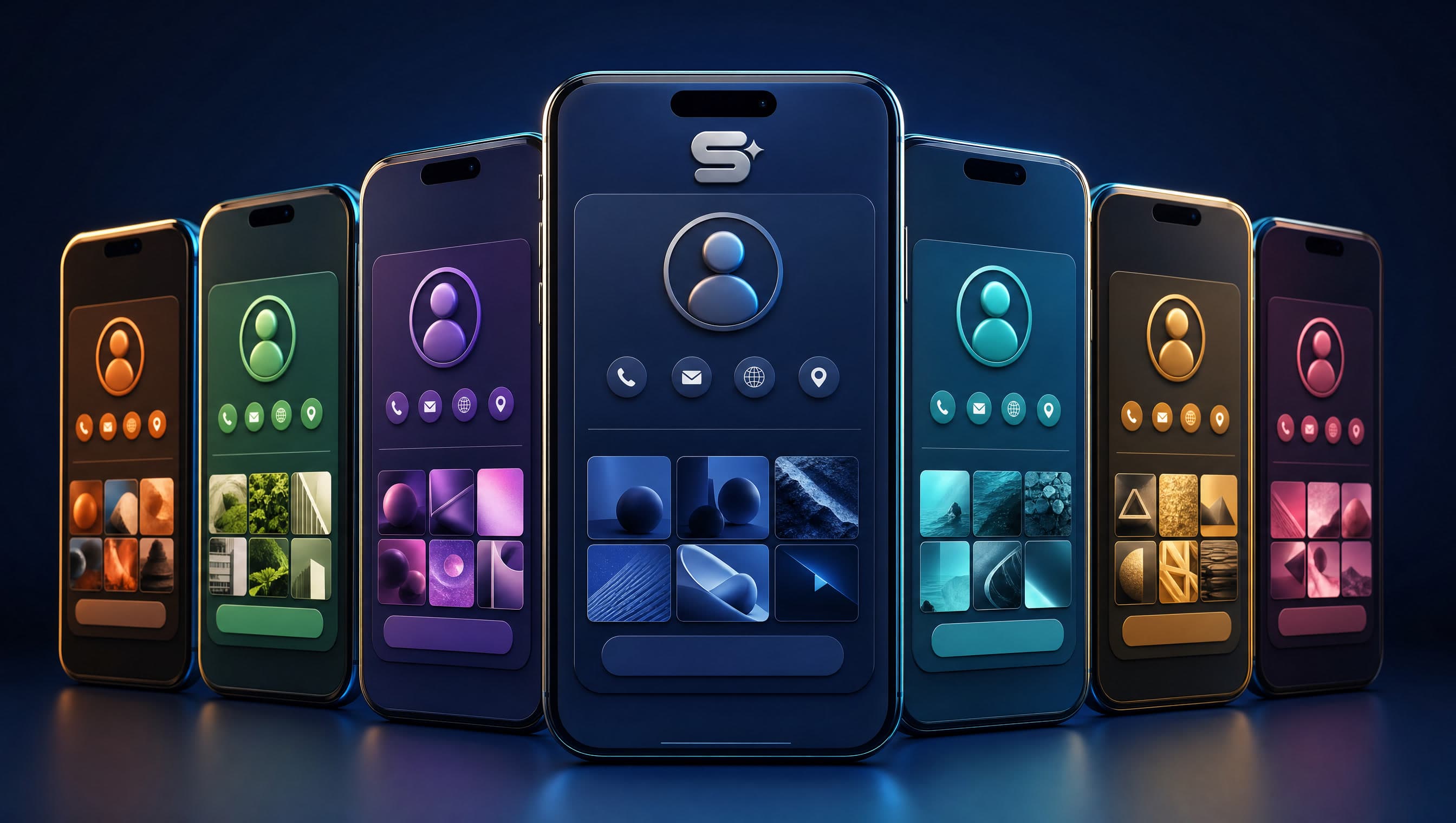
If you have searched Google for “digital business card examples,” you were almost certainly inundated with vendor theme showcases: dozens of colorful templates devoid of any strategic explanation for why they were designed that way. Beautiful templates alone do not clarify what architecture fits your commercial model. In this guide, we take a fundamentally different approach. We dissect 10 practical digital business card examples by industry — from attorneys to corporate sales executives. For each vertical, we detail mandatory conversion buttons, visual wireframe hierarchy, and the single defining element that differentiates it. By the end, you will recognize exactly which blueprint mirrors your business and what takeaways to adopt.
What Makes a Digital Business Card Truly Effective?
Before reviewing examples, establishing benchmarks is essential. A business digital card is neither a shrunken desktop website nor an Instagram profile. It is a focused single-page conversion asset with one explicit purpose: converting visitors into direct inquiries. When evaluating any digital card layout, we scrutinize five criteria:
- One Prominent Primary Action in the Hero: Direct phone dial, WhatsApp conversation, or calendar booking — prioritized by sector. Never seven equal-sized buttons creating cognitive friction.
- Sector-Specific Action Triggers: Restaurants demand Waze navigation and interactive menus; litigation attorneys demand vCard contact saving and confidential intake forms.
- Instant Mobile Load Velocity: Digital cards are opened on smartphones over mobile cell networks. Audit candidate layouts in PageSpeed Insights before deploying.
- Authentic Brand Identity, Not Generic Templates: Bespoke color palettes, brand typography, and high-resolution professional headshots representing the firm.
- Structured CRM Pipeline Routing: A lead that sits inside an isolated mobile card dashboard rather than routing into your central CRM is a lost commercial opportunity.
Furthermore, we always audit whether the WhatsApp trigger launches a conversation with a pre-filled, context-specific introductory message. This minor technical touch drastically lowers user inertia, leveraging the enterprise capabilities detailed on the WhatsApp Business Platform. Let us dive into the 10 real-world examples.
Examples 1–5: High-Trust and Personalized Professional Services
1. Law Firms & Attorneys
Mandatory Action Buttons: Phone dial, WhatsApp, vCard Contact Save, Waze office directions.
Layout: Executive professional portrait, three core practice areas summarized in one sentence each, followed by a “Schedule Confidential Consultation” form.
The Differentiator: Restraint. Zero distracting galleries, zero animated gimmicks, featuring an explicit confidentiality pledge. Read more in our guide on digital business cards for lawyers.
2. Real Estate Agents & Brokers
Mandatory Action Buttons: WhatsApp, Phone, Waze, Instagram portfolio.
Layout: Concise value statement followed by three active featured property cards showcasing photography, pricing, and “Request Details on WhatsApp” triggers. Concludes with a “Request Free Property Valuation” intake form.
The Differentiator: Featured property listings updated weekly, ensuring recurring utility for past and prospective buyers. Detailed in digital business cards for realtors.
3. Fine Jewelers & Artisan Designers
Mandatory Action Buttons: WhatsApp, Instagram, Waze studio navigation, visual showcase gallery.
Layout: Full-width macro product gallery displayed before any descriptive text, followed by the artisan's narrative and a “Custom Commission Inquiry” button.
The Differentiator: Macro photographic fidelity. In jewelry, visual craftsmanship closes the sale. Review our case study on digital cards for jewelers.
4. Medical Aesthetics & Cosmetology
Mandatory Action Buttons: Direct Calendar Booking (integrated schedule link), WhatsApp, Waze, Instagram.
Layout: Curated service menu, aesthetic treatment clinic gallery, reinforced with prominent “Book Treatment” sticky triggers.
The Differentiator: Direct online booking calendar. A card relying solely on phone calls loses prospects browsing late in the evening; self-scheduling converts immediate intent.
5. Hair Salons & Barbershops
Mandatory Action Buttons: Self-booking appointment scheduler, Waze, Instagram, direct phone call.
Layout: Current operational hours pinned at top of viewport, trending style cut gallery, and a primary booking button.
The Differentiator: Real-time operational hours, critically including holiday eves. This is the exact information clients check before commuting.
Examples 6–10: Fitness, Therapy, Construction, Dining, and B2B Sales
The following five examples showcase industries where conversions depend on social proof, scheduling convenience, or personal rapport — requiring inverted structural hierarchy.
6. Personal Trainers & Fitness Coaches
Mandatory Action Buttons: WhatsApp, Instagram, “Book Trial Session” form.
Layout: Headline methodology statement, three verified client transformation milestones (with written consent), and a one-question lead form: “What is your primary fitness goal?”.
The Differentiator: The single diagnostic qualifying question, turning an anonymous lead into a warm consultation. Explore our guide on digital assets for fitness coaches.
7. Licensed Therapists & Counselors
Mandatory Action Buttons: Direct phone, WhatsApp, Waze, confidential inquiry form.
Layout: Warm, serene headshot, two concise sentences on therapeutic orientation, a “Who This Is For” section, and a simple intake form.
The Differentiator: Calm visual serenity. Muted natural tones, sparse text, and prominent reassurance regarding absolute client privacy. Zero public reviews with full names.
8. General Contractors & Home Renovation
Mandatory Action Buttons: Phone dial, WhatsApp, project gallery, “Request On-Site Estimate” form.
Layout: Service specialties, before-and-after renovation sliders, geographic service coverage stated clearly, followed by an estimate form.
The Differentiator: Before-and-after visual proof. In construction, completed craftsmanship is the only proof that matters — positioned before descriptive text.
9. Restaurants & Culinary Venues
Mandatory Action Buttons: Waze navigation, reservation booking phone line, digital menu, Instagram.
Layout: Operating hours, interactive PDF/web menu, culinary food photography gallery, and delivery partner links.
The Differentiator: Up-to-date seasonal menus and holiday hours. Outdated menus cause immediate customer disappointment.
10. B2B Corporate Sales Executives
Mandatory Action Buttons: Save vCard Contact, LinkedIn profile, professional email, phone dial, “Schedule Video Meeting”.
Layout: Executive headshot, corporate title and enterprise entity, one sentence outlining the commercial problem solved, and corporate brand emblem.
The Differentiator: Physical NFC smart card tapping instantly during trade shows. Seamless vCard saving is the primary conversion goal, rather than instant messaging.
Tradespeople who work in the field need a card that leads straight to a call. We covered what changes for an electrician, a plumber, a locksmith and a handyman in Business Cards for Electricians, Plumbers, Locksmiths and Handymen: What Wins Jobs in the Field.
What All 10 Examples Share (And What Adapts)
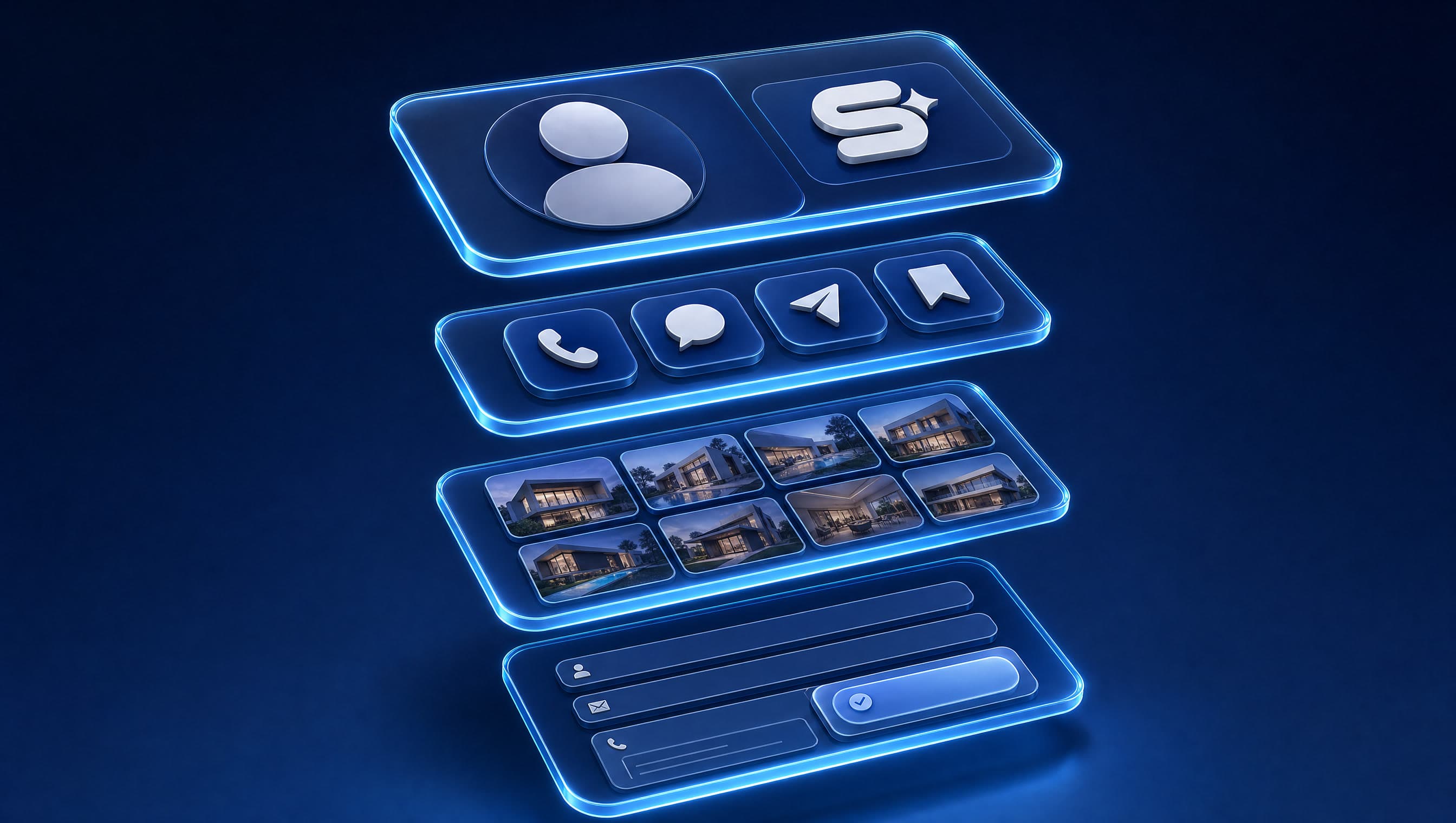
Carefully analyzing each case study reveals an underlying architectural pattern. Every high-converting digital business card is built upon four structured layers in identical vertical sequence:
- Identity: High-resolution photo or emblem, professional name, and a concise statement defining what you deliver and to whom.
- Action: Three to five functional action buttons, with one visually prominent primary call to action.
- Proof: Visual gallery, featured property portfolio, transformation metrics, or service menu — tailored by discipline. Client assets shared strictly with verified consent.
- Lead Capture: A streamlined form routing data directly into your CRM, asking one qualifying question to initiate dialogue.
This sequence mirrors native mobile scrolling ergonomics: establishing who you are, presenting immediate interaction triggers, demonstrating competence, and capturing prospective contact data.
What fluctuates is the structural weight awarded to each layer. For jewelers and contractors, visual proof commands 60% of viewport real estate. For litigators and therapists, proof recedes while restrained identity and confidentiality take center stage. Aesthetic clinics prioritize scheduling calendars over direct phone lines. For B2B sales reps, the flow inverts: getting the prospective client to save your contact card to their phone address book.
When studying examples, do not simply ask “which visual looks prettiest?” Ask: “Which functional layer must carry the greatest weight for my commercial model?”
What We Observe in the Field
When developing a digital card for a client, our baseline is never an empty canvas — it is the proven architectural framework for their specific vertical: real estate, legal, aesthetics, or trade services. The industry blueprint already knows which layer demands the greatest weight; the craft lies in tailoring it seamlessly to the brand. Our initial discovery question is always: “What is the single action you want visitors to take?” — and surprisingly, most owners have never defined this. The most prevalent blunder we encounter is presenting seven identical buttons alongside a 40-image gallery — attempting to force a full desktop website onto a mobile card. We strictly eliminated adding buttons “just in case”: every superfluous button dilutes conversion probability. Furthermore, every lead form must connect to an active CRM, because a lead stranded inside a siloed card dashboard does not exist.
What makes a card easy to use on a phone, from button size and the thumb zone to contrast and correct Hebrew, and when Canva or AI is enough, is set out in 9 rules in Digital Business Card Design: 9 Rules, and When Canva or AI Is Enough.
How to Tailor a Framework to Your Business: 5 Questions
Strategic digital card design begins with clear business answers rather than picking visual themes. Clarify these five questions before engaging a designer or developer:
- What is the single primary action I need visitors to take? (Phone call, WhatsApp chat, calendar booking, vCard save)
- What constitutes definitive proof in my profession? (Before/after photos, listings, case studies, or understated discretion)
- Where will this digital card be distributed? (Follow-up WhatsApp texts, NFC cards at conferences, ad campaigns, Instagram bio link)
- What information changes on a weekly basis? (Listings, menus, seasonal hours — determining back-end CMS flexibility requirements)
- Where do inbound leads flow? (CRM, direct email, Google Sheets — ensuring zero lead leakage)
Self-Audit Tip: Open your current digital card (or candidate template) on a smartphone using 5G mobile data, away from Wi-Fi. Give yourself five seconds. Is your core offering immediately clear? Does the WhatsApp button initiate a chat with pre-filled text? If not, that is your immediate optimization roadmap.
If you are undecided on the primary action, begin with a streamlined layout and monitor user taps. Want to test an industry framework for your business immediately without waiting for bespoke agency design? That is precisely why we developed our AI SaaS platform — SimplyCard. Its AI engine scans your existing website or social profile (or walks you through a few quick questions) and generates a fully designed, sector-calibrated digital business card in 5 minutes. It includes your own personalized URL, a designed QR code, WhatsApp and vCard triggers, a built-in mini-CRM for lead tracking, accessibility features, and an optional physical NFC smart card. Building your card is free; you only pay when you publish. Furthermore, understanding the technical boundary between basic free builders and enterprise custom assets is critical — as reviewed in our analysis of free vs. paid digital business cards: what you get and when to pay.
How Simple Web Delivers Digital Business Cards
Simple Web is an AI-driven digital marketing agency based in Bnei Brak, certified Meta Partners, and Google Ads specialists serving 200+ businesses with 28 5-star Google reviews (learn more on our about page). We provide two distinct pathways for digital business cards:
- Self-Service AI SaaS via SimplyCard: For independent professionals, freelancers, and businesses looking to launch and edit their card in 5 minutes with built-in mini-CRM, analytics, and accessible layouts at an affordable subscription.
- Bespoke Custom Engineering via Studio 51: Our premium agency division (featured on national Channel 14). We engineer fully bespoke cards calibrated to specific verticals (real estate, fitness, medical aesthetics, law, finance, dining, automotive, and more) connected directly into your enterprise marketing and CRM stack.
For custom Studio 51 builds, pricing is tailored to architectural complexity and custom integrations. We start with a complimentary diagnostic consultation to review the five discovery questions and determine the exact high-converting framework for your enterprise.
Summary
Digital business card examples provide true commercial value only when you understand the conversion logic governing their design. Attorneys require professional restraint, jewelers require high-resolution visual proof, medical aestheticians require real-time booking calendars, and corporate sales leaders require seamless vCard saving. The universal commonality: verified identity, one prominent call to action, industry-specific proof, and CRM-synced lead capture. Ready to explore how your sector's blueprint transforms with bespoke brand styling? Contact Simple Web for a free strategic consultation today.