WhatsApp Marketing for Business: WhatsApp Business API, Message Templates, and Legal Compliance
App vs. API, how approved message templates work, what Spam Law and Amendment 13 require, and 5 WhatsApp automation use cases that drive real revenue.
WhatsApp marketing is the most direct communication channel available to modern businesses: messages land on the exact same screen where customers chat with family and friends. In our experience, WhatsApp messages achieve dramatically higher open and response speeds than email or SMS. However, this intimacy also makes it exceptionally easy to destroy customer trust — a single unsolicited promotional blast can lead to immediate contact blocks. In this guide, we break down the operational differences between the free WhatsApp Business app and the enterprise WhatsApp Business Platform (Meta Cloud API), explain template approvals, navigate Spam Law and Privacy Protection Law compliance, and highlight 5 proven use cases that generate revenue rather than customer complaints.
WhatsApp Business App vs. WhatsApp Business Platform: Key Differences
There are two distinct products with similar names, where most industry confusion begins.
WhatsApp Business — The Mobile App. A free application tied to a single physical device/SIM card. It provides a basic business profile with operating hours and address, a product catalog, canned quick replies, label categorization, automated greeting messages, and away messages. Broadcast lists are supported — but delivered exclusively to contacts who have saved your phone number. For solo freelancers or single-operator businesses, this is generally sufficient.
WhatsApp Business Platform — The API. Your number connects directly to Meta via Cloud API or through an authorized Business Solution Provider (BSP). This unlocks enterprise capabilities unavailable on the mobile app: multi-agent team inboxes on a single verified number, bidirectional CRM and website integrations, automated AI chatbots, scalable pre-approved template messaging, and Meta Business verification. Usage is billed directly by Meta based on conversation categories and country tiers. Official specifications are detailed on Meta's WhatsApp Business Platform page.
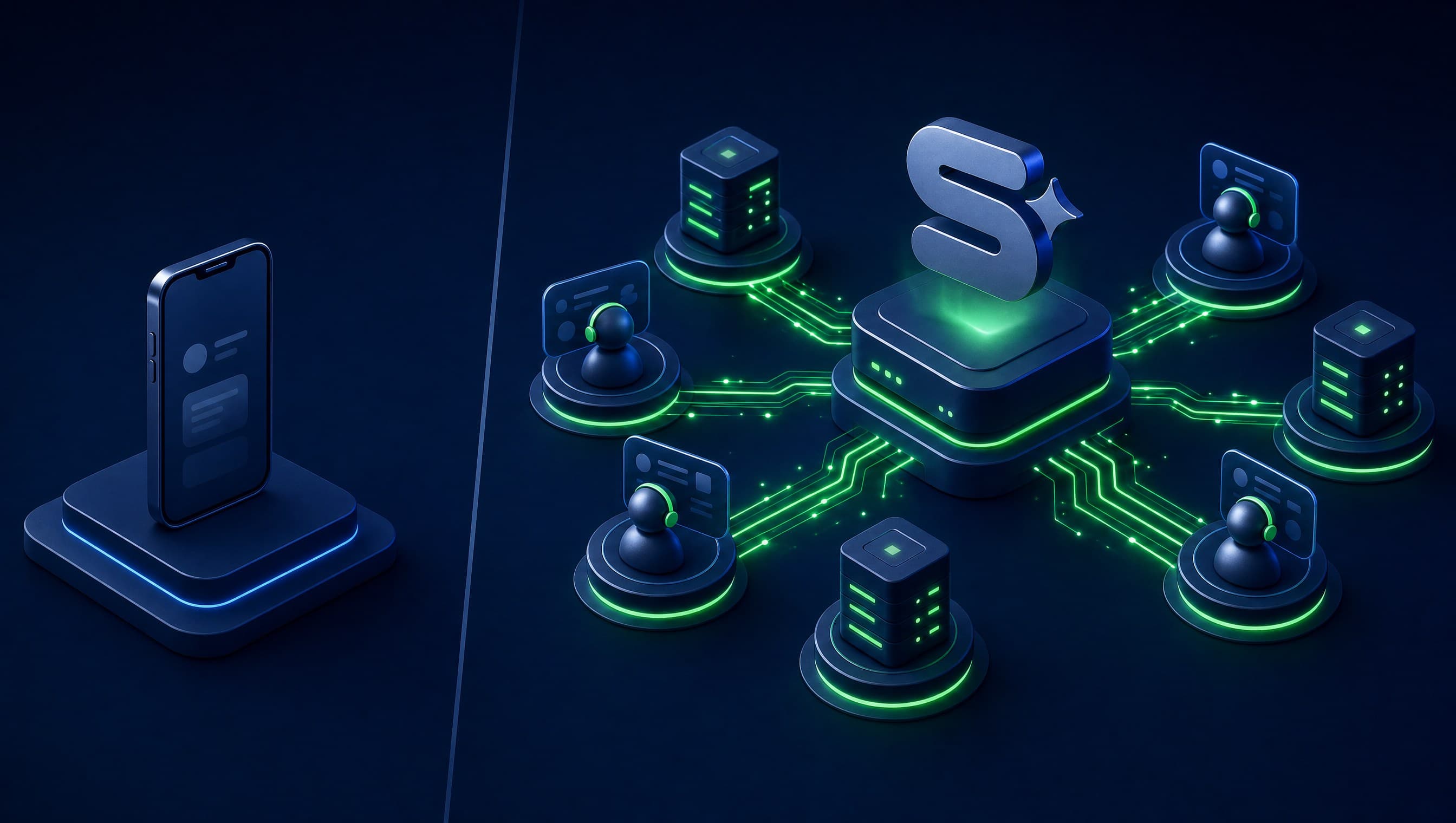
Our rule of thumb: If one person handles customer communications and you manage fewer than a few dozen chats daily, stick to the free mobile app. If your operations require multi-agent workflows, automated CRM triggers, or outbound messaging to hundreds of opted-in customers, migrate to the Business Platform.
Message Templates: How Outbound API Marketing Works
The Business Platform operates under a strict rule: The 24-Hour Customer Service Window. When a user initiates a conversation, your business can respond freely within a 24-hour window. Once that window closes, or when initiating outbound outreach, businesses are restricted exclusively to pre-approved Message Templates.
Meta categorizes templates into three tiers:
- Marketing: Promotions, product launches, and re-engagement campaigns. This is typically the highest-cost tier under Meta's pricing model and carries the highest risk of negative customer feedback if misused.
- Utility: Order confirmations, appointment reminders, delivery tracking, and transactional receipts. Messages that customers actively anticipate.
- Authentication: One-time passwords (OTP) and identity verification codes.
Common causes for template rejection include ambiguous phrasing, missing variable sample data, exaggerated promotional claims, or incorrect category tagging (such as submitting a sales pitch as a utility message). Meta monitors quality ratings continuously: if recipients frequently report or block your number, your tier rating drops and daily volume caps shrink. Review Meta's official guidelines in the Meta Business Help Center.
How to check your status: In Meta Business Suite → WhatsApp Manager → Phone Numbers. Check your Phone Number Quality Rating (Green, Yellow, or Red) and Messaging Limit. Aim for a healthy Green rating with expanding daily volume capacity.
Action step for today: Draft just three initial templates — an immediate inbound lead follow-up, an appointment reminder, and a customer reactivation offer — and submit them for Meta review.
What We See in the Field
When deploying WhatsApp Business Platform for clients, our first step is auditing Meta Business Manager verification and phone number ownership. Template copy is drafted in strict sequence: utility workflows first (lead triage, booking reminders), marketing broadcasts last. The most frequent error we encounter: disguising a promotional offer as a utility template to cut message costs, resulting in prompt rejection and campaign launch delays. What we stopped doing: linking a business owner's personal mobile number to the API. A dedicated corporate VoIP or virtual number prevents major operational headaches as teams expand.
Legal Compliance: Customer Consent, Spam Law, and Privacy Amendment 13
This is where businesses face the greatest risk, often through simple lack of awareness.
Spam Law Regulations. Direct commercial messaging requires unambiguous, prior opt-in consent from the recipient. Every outbound message must identify the sending business and provide a clear, effortless opt-out mechanism. Never base an outbound strategy on narrow legal loopholes. The standard rule: No prior consent, no messaging. We are marketing professionals, not legal counsel; always consult qualified legal advice regarding commercial communications.
Privacy Protection Law (Amendment 13). Phone numbers linked to customer profiles constitute personal database records. Businesses must maintain audit trails detailing when, where, and for what purpose each contact opted in. For a practical breakdown, read our guide on Privacy Law Amendment 13, and review guidance from the Privacy Protection Authority and the official Amendment 13 resource.
Best practices for compliant WhatsApp execution:
- Explicit Form Checkboxes — Unchecked by default — “I agree to receive updates via WhatsApp”.
- CRM Audit Logging: Store timestamps, opt-in source URLs, and specific consent scope for every lead.
- Automated Opt-Out: Replying “Stop” or “Unsubscribe” must trigger immediate suppression across all outbound queues.
- Respect Group Boundaries: Never add prospects to WhatsApp groups without explicit permission, and never spam third-party groups. Use official broadcast Channels or managed communities instead.
5 High-Converting WhatsApp Business Use Cases
Here are five proven WhatsApp automations that consistently generate qualified revenue:
- Instant Lead Response. Website form submission triggers an automated utility template within 60 seconds: “Hi Sarah, we received your inquiry regarding [service], a specialist will reach out by 2:00 PM.” Explore how this integrates with broader lead generation sources.
- Appointment Reminders & Confirmations. Automated reminders sent 24 hours prior with interactive “Confirm” and “Reschedule” quick-reply buttons, drastically cutting no-show rates for clinics, salons, and professional practices.
- Dormant Customer Reactivation. Monthly targeted marketing broadcasts sent exclusively to past customers with explicit consent who haven't ordered in 6 months, featuring an exclusive incentive.
- Abandoned Cart Recovery & Order Updates. Automated checkout recovery messages followed by shipping tracking links — core features of our e-commerce marketing solutions.
- 24/7 AI Qualification & Booking Bots. Conversational bots that answer common inquiries, collect qualification criteria, and schedule calendar appointments autonomously. Read more in our AI chatbots for business guide.
Pricing Structures & Implementation Roadmap
Cost Architecture: WhatsApp marketing costs consist of three components. First, the mobile app is free. Second, the Business Platform incurs per-conversation fees payable to Meta based on template category and recipient market. Third, software subscriptions for your CRM/BSP platform, alongside one-time setup fees for AI bot training and workflow automation.
Implementation Sequence:
- Complete Meta Business Manager verification.
- Provision a dedicated corporate phone number.
- Connect to Meta Cloud API via an authorized BSP.
- Submit your initial three core templates for Meta approval.
- Integrate with your CRM and embed explicit opt-in checkboxes on website forms.
- Track performance metrics: response rates, appointment conversion rates, and closed revenue.
For more architectural insights, review our overview of marketing automations that save time.
How Simple Web Deploys WhatsApp Marketing
Simple Web is an AI-driven digital agency based in Bnei Brak, certified Meta Partners, and Google Ads specialists serving 200+ businesses with 28 5-star Google reviews (learn more on our about page). We design, build, and deploy end-to-end WhatsApp automation workflows: conversational AI bots that qualify inbound leads, schedule consultations, and synchronize with your CRM in real time. Basic bots go live within 1 week; fully customized AI bots with extensive domain training deploy in 2–3 weeks. Explore details on our chatbots and automations page.
WhatsApp also serves as the primary reporting channel for Simpi, our proprietary AI SEO agent, delivering concise Hebrew performance briefs and requesting approval for strategic updates. Furthermore, since 2025 every website we build features enterprise consent management, complemented by our ₪1,500 Privacy Audit service and complimentary 20-minute compliance reviews.
Summary
WhatsApp marketing succeeds when executed counter-intuitively: fewer promotional broadcasts, higher upfront consent. Select the appropriate tier (App vs. Platform), initiate with three core templates, collect documented opt-in across every form, and focus on customer-centric utility workflows — rapid response, appointment confirmations, and automated service updates. Wondering if WhatsApp Business Platform fits your business? Contact us for a free strategic consultation.