How to claim your business in ChatGPT from Israel: Business Hub, what is open and what the terms say
OpenAI launched Businesses in ChatGPT and Business Hub. How to claim your business, what is open to businesses in Israel, and what you agree to in the terms.
Businesses in ChatGPT is a new OpenAI product that lets a business claim its profile in ChatGPT, update the details shown about it and see how often it is mentioned in answers. OpenAI launched it in beta on 10 November 2026, together with Business Hub, the interface where the profile is managed. This guide is for business owners in Israel who want to claim their business in ChatGPT and know what is actually open to them. It covers what is available from Israel and what is not, the claim process step by step, the terms you accept along the way and what the profile will not do for you. Everything here is based on OpenAI's own pages and is correct as of 12 November 2026.
What Businesses in ChatGPT is, and what Business Hub is
According to OpenAI's announcement, the product gives businesses a new way to reach the 1.2 billion people who use ChatGPT every week. It has three parts:
- A business profile. When a business appears in a ChatGPT answer, people can click it and view its profile. A business that claims the profile and passes verification can update the key details, and retailers can add a product feed with prices and availability.
- Insights. Aggregate data on how often the business is mentioned, how many clicks go to its website and the topics in which it comes up.
- A Business Agent. An AI representative of the business that answers customers' questions about products and policies inside ChatGPT. For now it is available only to businesses in the US.
All three are managed in Business Hub. According to OpenAI you open it from the ChatGPT sidebar, and you can also go straight to chatgpt.com/business-hub.
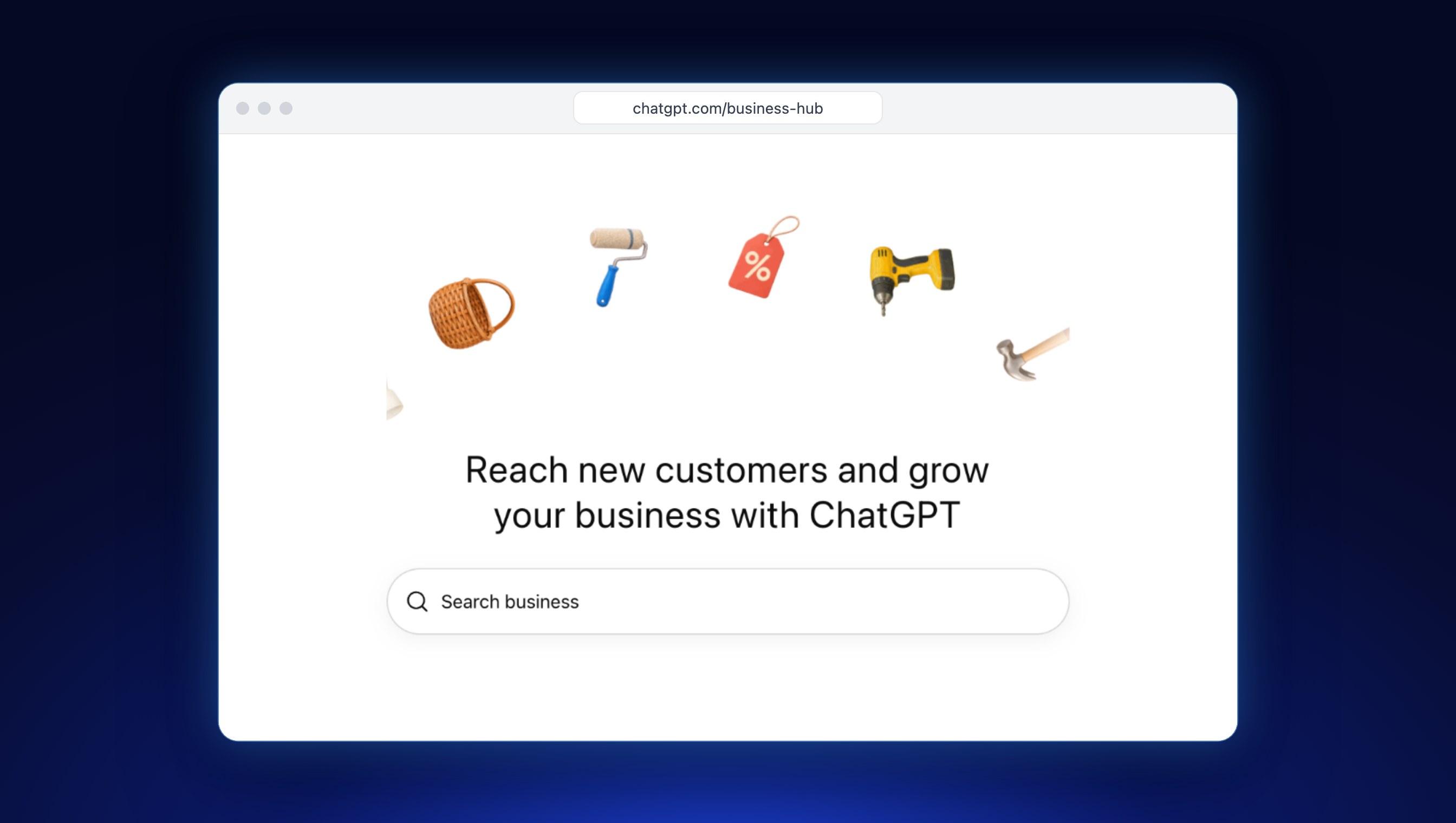
We checked it ourselves: on 12 November 2026, Business Hub opened from a free ChatGPT account in Israel and showed a field for searching for the business. At the bottom of that screen there is one line that is easy to miss: by continuing, you accept the product's terms. We come back to it below, because there is more in it than it seems.
What is available to businesses in Israel, and what is not yet
OpenAI does not publish a list of countries for this product. Instead of a list there is a general condition. According to OpenAI's setup guide, eligible businesses can claim an existing business or add one where ChatGPT is available and the required verification is supported, and availability depends on the business's location and type. The product page adds that eligibility also depends on industry and on OpenAI's verification and integrity checks, and that at this first stage claiming is available to businesses that have a website.
This is how it breaks down in practice:
| What | The position for a business in Israel | Source |
|---|---|---|
| Claiming an online business with a website | According to OpenAI, possible wherever ChatGPT is available and verification is supported. OpenAI does not say whether verification is supported in Israel | Setup guide |
| Claiming a physical shop or a restaurant | Not at present. Only an existing US listing can be claimed | Setup guide |
| Updating details, a product feed and insights | Only after the claim is approved and identity verification with Persona is complete | Setup guide |
| A Business Agent | Not available. Only eligible ecommerce and online service businesses in the US | Announcement |
| Promoting the agent in an ad (Sponsored Agents) | Not available. A limited alpha test with selected advertisers, and OpenAI is not accepting early access requests at this time | Help page |
What is not clear is where the line runs between an online business and a local one. A law firm, a plumber or a marketing agency that has both a website and a physical address: which side are they on? OpenAI does not say. The only way to find out is to search for the business in Business Hub and see what you are offered.
The bottom line: an online shop or an online service with a website can try right now. A restaurant or a high-street shop has to wait. OpenAI writes that it plans to expand the product to more markets and business types, without naming a date.
How to claim your business in ChatGPT: 6 steps

- Choose the account that will manage the business. The claim is tied to the ChatGPT account you make it from. Use an account the business controls, not the private account of an employee or a supplier.
- Open Business Hub and search for the business by name. Select the listing that matches your business. If the business does not appear and you run an eligible online business, you may be offered an option to add it. If you see a Contact support button, the listing is locked and you need to contact support.
- Verify your connection to the business. Choose one of the methods offered for your business (set out in the table below) and follow the prompts.
- Wait for approval. OpenAI reviews the claim and emails you its decision or a request for more information. It says only that review time varies, and commits to no deadline.
- Complete identity verification with Persona. This is a separate step from claim approval. Without it you cannot publish changes to the business details, connect a product feed or view insights. According to OpenAI you may need a government-issued ID, business registration information and proof that you are authorised to represent the business.
- Update the business details. After both approvals you can update the website address, the business description, the product or service category, the logo, the delivery policy and the return policy, and add a cover photo. OpenAI reviews every change before it is published, so an update does not appear immediately.
And the blue check? The product page says it shows that the business has been claimed. The setup guide is more precise: claiming alone does not give the profile the badge, and it appears only after the Persona identity verification is approved.
These are the verification methods listed in the guide. Not every method is offered to every business, and OpenAI says to use one of the methods offered for yours.
| Verification method | How it works | What you need for it |
|---|---|---|
| Business phone | A code sent by text message or an automated call to the number shown on screen | Access to that phone line |
| Business email | A code sent to the email address associated with the business | Access to that mailbox |
| Website domain | You add a TXT record to the domain's DNS settings and select Verify domain. A DNS change can take time to appear | Access to the DNS settings. If someone else manages the domain, you ask them to add the record |
| Shopify store | You log in to the store, review the permissions and approve | A login to the business's Shopify store |
How long does it take? Even if filling in the details is quick, two separate OpenAI reviews follow, one of the claim and one of the identity verification, and for each of them you wait for an answer by email.
Five mistakes worth sparing yourself
- Claiming from the private account of an employee or a supplier. According to OpenAI, invitations to teammates can depend on the account used to claim the business. If the business was claimed in a ChatGPT workspace, invitees may need to be members of that workspace.
- Forwarding a personal claim invitation. If you received an email invitation to claim the business, it is meant for you alone. To give an employee or an agency access, the person who claimed the business adds them in Business Hub, and each person signs in with their own ChatGPT account.
- Creating a new profile before you are ready. When you create a new profile through Persona, OpenAI's approval publishes it automatically, with no separate publishing step. And note what happens after publication: only an unpublished draft can be deleted, and OpenAI Support does not delete, unpublish or hide a published profile as part of a business setup or ownership request.
- Submitting details that do not match your documents. For a failed identity check, OpenAI's guidance is to make sure the business name, the address and any registration or tax number match the business's official records. Better to check that before you submit.
- Reading a blank insight as zero. A blank metric can mean activity has not reached the reporting threshold, data is still being collected or reporting is unavailable.
Two more situations worth knowing. If someone else has already claimed your business, you open the profile, choose Dispute ownership from the three-dot menu and verify through Persona that you are authorised to represent the business. And if you have several brands or locations, each brand is managed separately, and claiming the main brand does not claim its locations.
What you accept along the way: the Businesses in ChatGPT terms
At the bottom of the Business Hub opening screen it says that by continuing you accept the Businesses in ChatGPT Terms, last updated on 9 November 2026. Under the terms, whoever uses the product also represents that they have authority to bind the business. That makes it a decision for the business owner, not for an employee or a supplier.
We read the full document, and these are the clauses a business owner should know. This is a summary and not legal advice. In a business where the content is the main asset, it is worth having a lawyer read the document before you accept.
- A listing can exist whether or not you claim it (section 4.1). OpenAI may create, maintain and display a listing for a business regardless of whether you claim it. Even after a claim you do not have exclusive control over the contents: OpenAI may supplement, edit or replace information using other sources, or decline to display information you submit.
- Phone calls from OpenAI's assistant (section 4.1). By using Business Hub you agree that OpenAI's AI assistant may make calls to you on behalf of users. The terms include a link for opting out.
- A permanent licence for the basic details (section 4.2). The licence to display basic business information you submit for public display, including name, address, contact details, category, opening hours and website, is perpetual and irrevocable.
- A product feed opens the site to crawlers (section 3). A business that provides a product feed undertakes to let OpenAI's crawlers and agents access its website, and not to exercise text and data mining opt-outs against OpenAI.
- No commitment to results (section 8). OpenAI does not guarantee placement, ranking, visibility, traffic or sales.
- Indemnity and a waiver of claims (sections 9 and 10). You undertake to indemnify OpenAI against third-party claims related to the information you provided, the business, the listing and the agent. You also undertake not to sue OpenAI over matters related to that information and to content published on your websites, other than a claim that OpenAI breached the terms themselves.
- The insights are confidential (section 6). You may use insight data only to measure, analyse, optimise and report. You may not pass it to a third party, apart from service providers acting on your behalf.
Alongside the terms, the Businesses in ChatGPT policy applies too: you manage only a business you represent, you provide accurate and current information, and you do not use fabricated reviews or unsupported guarantees. The policy also says that not every business can create or claim a profile, and that OpenAI may decline a request when a business's offerings or practices raise significant safety or integrity concerns.
What you see in Insights
Once the claim and the identity verification are approved, the Insights screen opens in Business Hub. It shows aggregate activity over the past 28 days:
- Mentions. For an online business, a mention counts only when ChatGPT references the business's website. The brand name alone does not count. For a local business, a mention counts when ChatGPT shows a result for that location, even if the customer does not open it.
- Website clicks. How often people clicked through from ChatGPT to your website.
- Discovery topics. Common themes in answers that mentioned or cited the business. These are aggregate categories, not customers' questions.
Two things to keep in mind. First: businesses do not receive individual user conversations or prompts, including chats with their own Business Agent. Second: OpenAI says that counts may be incomplete, and that insights are shown only when there is enough activity to pass a certain threshold. Even so, this is a number that comes straight from OpenAI rather than an estimate from a third-party tool.
The Business Agent: what it does, and who it is open to
A Business Agent is an AI representative of the business inside ChatGPT. When a customer is shown the profile of a business that has an agent, they can choose to start a conversation with it and ask about products and policies. The agent answers from information the business provided. The conversation with it is clearly labelled and separate from the original conversation with ChatGPT.
As of 12 November 2026, agents are open only to eligible ecommerce and online service businesses in the US that have a website and meet the requirements of the Business Agents Policy. You do not need Shopify for an agent, but a Shopify store can connect its catalogue.
Even in the US the agent is limited. According to OpenAI it does not complete purchases, make bookings or check orders. It explains products and policies and links to the website, where the customer completes the action. The policy adds a few rules: the agent must be clear that it is AI representing the business, it must not pressure customers or create false urgency, and it must not give advice that legally requires a professional licence.
What can you do right now? Put in order the material such an agent relies on: accurate product details, and clear delivery and return policies on the site. That information serves your customers today as well, agent or no agent.
Will the profile make ChatGPT recommend you more often
There is no guarantee of that, and OpenAI says so explicitly. According to the setup guide, claiming lets you manage the information you provide about your business. It does not guarantee increased visibility, and it does not give you direct control over ChatGPT's independent recommendations. Advertising does not influence the independent answers either.
The guide has one more important sentence: ChatGPT may also use other sources when it answers questions about your business. In other words, the profile is one source among several. What is written about you on your own website and elsewhere on the web still matters.
So it is worth separating three things that are easy to confuse:
| Channel | What it is | What it costs | Effect on ChatGPT's answer |
|---|---|---|---|
| Businesses in ChatGPT | A profile where the business manages the information it provides about itself, and sees insights | OpenAI's own pages mention no fee | Not guaranteed |
| ChatGPT Ads | A sponsored ad that appears below the answer | An advertising budget | None, according to OpenAI |
| AI search optimisation (GEO) | Work on the site and the content so that AI engines can rely on them | Ongoing work, with no payment to OpenAI | This is the work aimed at the answer itself, again with no guarantee |
We covered the ads in our guide to advertising on ChatGPT, and the organic work in our guide to AI search optimisation (GEO).
And what about a Google Business Profile? The idea is similar: you claim, verify, manage details and see data. But a physical shop or a restaurant in Israel has nothing to claim in ChatGPT at present, so the Google profile remains the place where local presence is managed. We explained how to do that properly in our local SEO guide.
What to do now, by type of business
- An online shop or an online service with a website: search for the business in Business Hub and see what you are offered. Before you continue, read the terms and decide who in the business accepts them.
- A Shopify store: according to OpenAI, connecting the store through Business Hub or through the Shopify admin streamlines verification. It also writes that products from eligible Shopify merchants are already integrated into ChatGPT through Shopify Catalog. Still choosing a platform? We compared them in our Shopify vs WooCommerce guide.
- A physical shop or a restaurant: there is nothing to claim from Israel at present. Make sure the details on your website and in your Google Business Profile are accurate and consistent, because ChatGPT may also rely on other sources.
- Every business: check that your site does not block OAI-SearchBot, the crawler OpenAI uses to surface websites in ChatGPT's search results. The block can sit in the robots.txt file, in Cloudflare or in the firewall.
What is still unknown (as of 12 November 2026)
- Verification from Israel: OpenAI does not publish the countries in which verification is supported, or which Israeli documents Persona accepts. We have not completed the full verification process from Israel ourselves.
- The line between online and local: how a service business with both a website and a physical address is classified.
- Local businesses outside the US: when they will open. OpenAI writes that it plans to expand, with no date.
- Hebrew: how a profile in Hebrew is displayed in Hebrew conversations, and how Business Hub looks in Hebrew and right-to-left.
- Review times: how long claim approval and identity verification take.
- Price: OpenAI's own pages mention no fee for claiming, and you do not need an Ads account or a ChatGPT Enterprise agreement. According to a VentureBeat report that relies on Digiday, claiming, managing the profile and publishing an agent are free at launch, and OpenAI left open the possibility of charging in the future.
What Simple Web does about it
Simple Web is an AI-first marketing agency from Bnei Brak, working with 200+ businesses and holding 35 five-star Google reviews. The claim itself is something the business owner does: it involves a personal identity check and accepting terms on behalf of the business, and those are not things you hand to a supplier.
Our part is what the profile does not do. We build brand websites and online stores, and we do organic SEO: the technical setup of the site and content that answers the questions your customers ask, so that it ranks on Google and is cited by AI answer engines too. And if you are also weighing up ads, we run ChatGPT ad campaigns.
Want to know where you stand today? In our free marketing audit we check Google rankings, visibility in AI engines such as ChatGPT, Perplexity and Gemini, ad budget leaks in your campaigns and conversion bottlenecks. The analysis is sent by WhatsApp or email, typically within 24 to 48 business hours.
Summary
Businesses in ChatGPT gives a business a managed profile, a blue check and insights, through Business Hub. For an Israeli business, as of 12 November 2026, the picture is partial: an online shop or an online service with a website can try to claim, a physical shop or a restaurant cannot yet, and Business Agents are open only in the US. Before you continue it is worth reading the terms, because they are accepted on behalf of the business. And the most important point: the profile puts the information you provide in order, but it does not guarantee a recommendation. For that you still need a website and content that AI engines can rely on. Want to check how your business looks in AI engines today? Book a free audit.
Sources
- OpenAI: Introducing Businesses in ChatGPT: the announcement of 10 November 2026, including the figure of 1.2 billion weekly users and the availability of Business Agents
- OpenAI: Setting up your business on ChatGPT: eligibility, the verification methods, Persona, updating details, insights and the FAQ
- OpenAI: the Businesses in ChatGPT product page: the general eligibility conditions and the statement that claiming does not guarantee placement or sales
- OpenAI: Businesses in ChatGPT Terms: last updated 9 November 2026
- OpenAI: Businesses in ChatGPT policy: who may manage a profile and what may go in it, updated 10 November 2026
- OpenAI: Business Agents Policy: the rules for a Business Agent, updated 10 November 2026
- OpenAI: Sponsored Agents in ChatGPT Ads: a limited alpha test with selected advertisers
- VentureBeat: report on the launch: the report that claiming and the agent are free at launch
Tags:
Growth
Recent posts